Technology · Storage buying guide
The game-storage trap: how much space do you actually need in 2026?
A terabyte is not a universal ticket, and a fast-looking card may be wrong for your machine. This practical guide separates storage that runs games from storage that merely holds them—and helps you avoid an incompatible upgrade.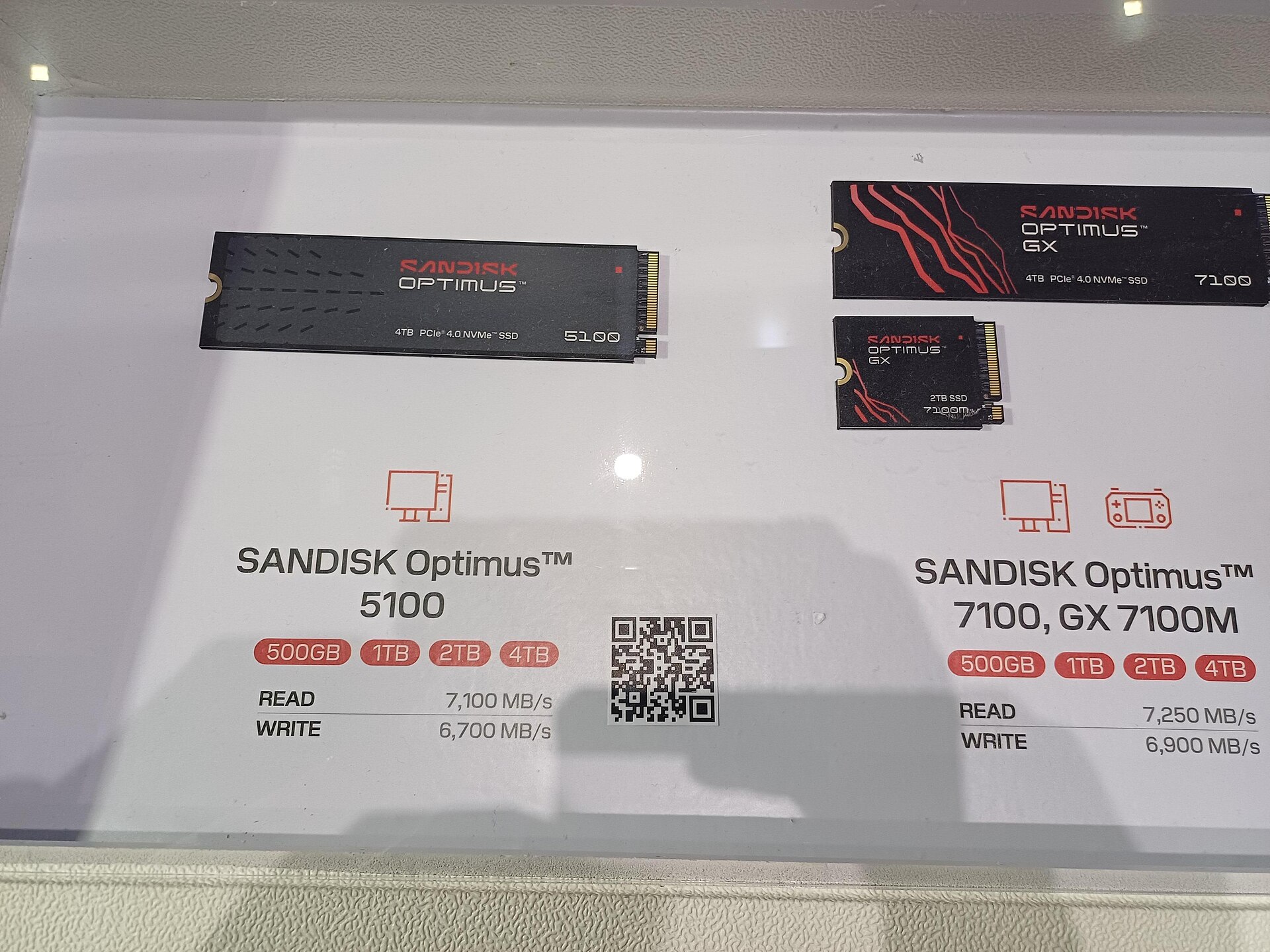
You buy a game, press download, and discover that the number on the box was never all free space. Deleting and redownloading becomes a ritual, followed by buying the first drive labelled “gaming”. That is the trap: storage is not one capacity number. It is interface, speed, physical fit and the type of data a platform will actually run from it.
The answer is not automatically the largest drive you can afford. Measure your active library, learn your platform’s rules and keep room for updates and captures. This guide avoids volatile prices and universal product claims; it gives you a repeatable buying method.
Start with the active library, not the fantasy library
Sort your games into three rings: playing this week, returning to this month, and archive titles you can download later. Add the first two as reported on your platform, then leave practical headroom for patches and captures. That is your working requirement; your entire account does not need permanent residence on the machine.
An advertised terabyte does not appear as a full terabyte of available space. Formatting, system files and different unit conventions change the number you see. Do not borrow a fixed percentage from a forum. Read the available capacity on your own device and budget from that.
PS5: the words M.2 are not enough
PlayStation specifies a PCIe Gen4 x4 NVMe interface, 250GB to 8TB capacity and recommends at least 5,500MB/s sequential read speed. Effective heat dissipation is required, with precise size limits for drive and heatsink. M.2 SATA devices are not supported even though they can look similar.
Once installed, the M.2 can download, copy and launch PS5 and PS4 games. Sony also says it cannot guarantee every third-party drive that matches the paper specification, or identical performance in every game. Match model number, dimensions and cooling against the support page before paying.
Xbox Series: the expansion card is not a generic USB drive
Xbox lists Seagate Storage Expansion Cards in 1TB and 2TB and says they add external memory while maintaining the same peak speed and performance as the internal SSD. The cards are compatible with Xbox Series X and Series S, with the appeal of plug-in expansion rather than opening the console.
That does not make them the best value for every person. Compare cost per gigabyte, your active library and the value of convenience. A player who wants Series games ready to run is solving a different problem from someone building a cold archive.
Switch 2 and Steam Deck: similar cards, different rules
Nintendo says Switch 2 uses microSD Express for downloadable games and supports cards up to 2TB, with an online system update required the first time. A conventional microSD from an original Switch may help import captures, but it does not become compatible game storage for Switch 2.
Valve lists the Steam Deck OLED microSD slot as UHS-I with SD, SDXC and SDHC support. Buy the standard, capacity and warranty—not merely a device name printed in a listing. A reputable seller also matters because counterfeit memory can report a capacity it does not contain.
Future-proofing is the most expensive rumour
“Future-proof” is not a specification. Games may grow, compression may improve and your connection may become faster; none of those variables yields a confirmed capacity you will need years from now. Buy documented compatibility and a visible need today, not a vague forecast.
We have not used leaks about unannounced hardware or install sizes for unreleased games. Even a platform logo should lead you back to the current support page and exact model number because listings, bundles and product revisions can change.
PLAYLORE FIELD NOTE
The compatibility map to read before checkout
This is not a cross-platform speed race. It is a map of the words and standards to verify on the product and support page.| Platform | Primary expansion | Runs platform games? | Critical check |
|---|---|---|---|
| PlayStation 5 | Cooled PCIe Gen4 x4 NVMe M.2 | Yes, after installation and format | Dimensions, heatsink and 5,500MB/s recommendation |
| Xbox Series X|S | Storage Expansion Card | Yes, per Xbox | Explicit Series X|S compatibility |
| Nintendo Switch 2 | microSD Express up to 2TB | Yes, after system update | microSD Express logo—not microSD alone |
| Steam Deck OLED | UHS-I microSD | Yes for supported library content | UHS-I with SD/SDXC/SDHC |
2026 BUYING GUIDE
The six-step buying test
Photograph the official requirements, then match a listing line by line.- Open storage management and record truly available space, not the box capacity.
- Total the games used in the last 30 days and add headroom for patches and captures.
- Decide whether the device must run games or merely archive files for later transfer.
- Match interface, capacity, form factor, dimensions and cooling to first-party support.
- Verify model number, warranty and seller; fake-capacity memory is not a saving.
- Do not let a temporary discount decide alone: weigh cost per gigabyte against convenience.
Three categories tied to a real need
These Amazon.sa searches make comparison easier. We show no retailer images or unverified prices; match any product to the platform’s current support page before purchase.
Heatsink M.2 NVMe Gen4 for PS5
Match heatsink dimensions, capacity and read speed to PlayStation’s requirements; a gaming label is insufficient.
Compare on Amazon.saXbox Series X|S expansion card
Look for explicit Series X|S compatibility and choose capacity around your active library.
Compare on Amazon.samicroSD Express for Switch 2
Verify the Express mark, capacity and warranty; conventional microSD is not a game-storage substitute.
Compare on Amazon.saAs an Amazon Associate I earn from qualifying purchases.
Primary sources
Sources and verification
Compatibility rules come from current first-party support pages. The real photograph carries a CC0 dedication permitting reuse.PLAYLORE VERDICT
The best upgrade makes deletion stop feeling like a game
More capacity cannot repair the wrong standard, and more speed cannot repair a drive that does not fit. Start with the active library, separate running from archiving, then match interface, capacity, form and cooling.
A good upgrade becomes invisible. The game you want is ready, the next patch has room, and you did not buy terabytes whose only job was calming an unmeasurable fear about the future.