Hardware · Operating systems and buying guide
SteamOS or Windows? Choose a gaming handheld by your library, not its chip
Two handhelds can share similar silicon while feeling radically different between the power button and play. This buying test begins with the games you actually use.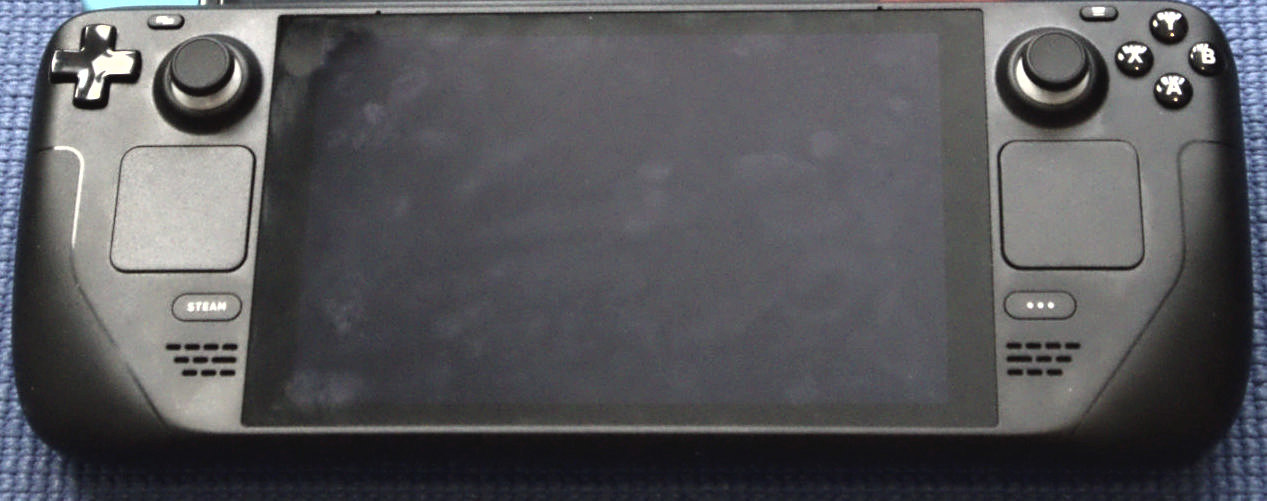
The easy handheld comparison is a table of chips, screens and batteries. The hard comparison—the one that matters after week one—is everything between pressing power and entering a game. Does a session wake cleanly? Do your essential games run? Does a launcher demand a pointer and keyboard?
This guide declares no universal winner. It builds a decision from three lists: games you will not surrender, stores you need and maintenance you tolerate. Two buyers with the same budget can rationally reach opposite answers.
Start with ten games, not ten devices
Open your play history and list ten games you expect to use in the next three months. Record each store, extra launcher or connection requirement, and whether you play with a controller or keyboard and mouse. This reveals the compatibility that matters more than a catalogue-wide percentage.
Do not treat the word PC as a guarantee. Valve classifies Deck titles as Verified, Playable, Unsupported or Unknown after checking input, display, seamlessness and system support. Xbox uses Handheld Optimized and Mostly Compatible badges for Windows handhelds. A badge is a starting point, not a substitute for the current game page.
SteamOS shortens the route from power to play
Valve lists Steam Deck OLED with Arch-based SteamOS 3 and documents quick suspend and resume from the power button. That is not extra frame rate; it removes friction when you play for ten minutes and put the system down.
The trade-off is an experience centred on Steam and Linux/Proton compatibility. If a must-play game, tool or storefront sits outside that path, never infer support from a similar title. Check each of the ten games and favour current reports over an old video.
Windows opens more library doors without erasing the desktop
Microsoft says Xbox full screen experience is generally available on Windows 11 handhelds already in market, with direct boot into Xbox and changes intended to reduce background tasks. It also supplies handheld compatibility badges for selected games.
Windows remains a full PC platform. You may move between Xbox, other stores, updater windows and sign-ins. That flexibility suits multi-store libraries and PC software; it is maintenance for someone expecting a console. Test typing, pointer control and session recovery—not just the demo game.
Battery life cannot be read from the OS alone
It is not sound to say SteamOS or Windows always lasts longer. Processor, battery capacity, brightness, frame cap, game, radio use and background software all change the result. Compare the same device under the same settings, not two numbers from unrelated hardware.
Use a repeatable personal check: your normal game, fixed brightness, a stated frame limit, the same Wi-Fi state and 30 minutes. Record charge, heat and noise before and after. It is not a lab benchmark, but it is closer to your day than an up-to claim mixing workloads.
Do not buy an update that has not arrived
A roadmap may promise better sleep, interface or compatibility. Treat it as direction, not a feature in your box today. A safe decision rests on the available release, present game support and a real return policy.
We used no leaks about unannounced hardware and did not assume SteamOS will reach every device or Xbox Mode will repair every desktop edge. If a future feature is the only reason to buy, wait until its maker publishes specific support you can test.
PLAYLORE FIELD NOTE
The five-minute decision map
Choose the column that describes your games and habits, not the loudest brand.| Question | Leans SteamOS | Leans Windows | Test |
|---|---|---|---|
| Where are your games? | Mostly Steam | Several PC stores | Ten titles and accounts |
| Session shape | Short and interrupted | Long or desktop-like | Suspend and resume |
| Maintenance tolerance | Unified interface | Desktop flexibility | Updates, typing, windows |
| Decisive game | Verified/Playable | Handheld Optimized or Windows support | Current game page |
2026 BUYING TEST
The pre-purchase test
Run it in store or within the return window without installing unknown utilities.- Launch two games from your real list, not only the demo.
- Sleep and wake twice inside a non-competitive game.
- Enter a password or search a store with the controls.
- Unplug and note heat and noise for 30 minutes.
- Check charger, warranty, repair route and region.
- Recheck compatibility badges and returns on purchase day.
Two accessories only after choosing the machine
Amazon.sa comparison searches without retailer images or unverified prices. Match power, dimensions and ports against the device's official page.
Correctly rated USB-C PD charger
Check the device's official input, PD profiles, cable and warranty; a larger number does not force faster charging.
Compare on Amazon.saHard case for the exact handheld
Match dimensions, stick clearance and openings. Similar-looking handheld cases are not automatically interchangeable.
Compare on Amazon.saAs an Amazon Associate I earn from qualifying purchases.
Primary sources
Sources and verification log
OS and compatibility facts come from Valve and Xbox; the lead visual is a licensed real photograph, not retailer media.PLAYLORE VERDICT
Buy the friction you can live with
SteamOS bets on a short, consistent path into Steam; Windows bets on the breadth and many doors of a PC. Neither is better outside your library's context.
If your ten games work, the device wakes the way you expect and its updates or windows do not annoy you, you have found the right OS. Only then does the chip-and-screen table become useful.